If you have ever looked at your keyboard while typing and wished you could just stop doing that, you are not alone. Millions of people around the world type slowly, make frequent mistakes, or rely on just two or three fingers to get through their work. This habit slows everything down — from writing emails to finishing assignments to completing tasks at work. The good news is that touch typing is a skill anyone can learn, and Ratatype makes that process completely free, structured, and surprisingly enjoyable.
Whether you are a student trying to keep up with your coursework, a professional who wants to work faster, or simply someone who spends a lot of time at a computer, learning to type properly will change the way you interact with technology. Ratatype is built for exactly this purpose. It is a clean, easy-to-use online typing tutor that teaches you how to type without looking at your keys, improves your accuracy, builds your speed, and even rewards you with a free certificate once you reach a certain skill level.
Let us walk through everything Ratatype has to offer and why it stands out as one of the best free typing tools available today.
What Is Touch Typing and Why Does It Matter?
Before diving into Ratatype specifically, it helps to understand what touch typing actually means. Touch typing is a method of typing where you use all ten fingers and do not look at the keyboard while you type. Instead of hunting for each letter one at a time, touch typists have trained their fingers to know exactly where every key is located. This muscle memory allows them to type fast, accurately, and without wasting mental energy.
The average person types somewhere between 35 and 45 words per minute using their usual method. A trained touch typist, however, can comfortably reach 60 to 80 words per minute or even higher. That difference adds up over time. Think about how many words you type in a single day — messages, documents, forms, notes. If you can double your typing speed, you are essentially saving hours every week.
Beyond speed, touch typing also improves your posture and reduces eye strain. When you stop looking down at the keyboard, you can maintain better focus on the screen, follow your thoughts more naturally, and keep your neck in a healthier position. It also reduces cognitive load — you stop thinking about where to put your fingers and start thinking more clearly about what you want to say.
What Is Ratatype?
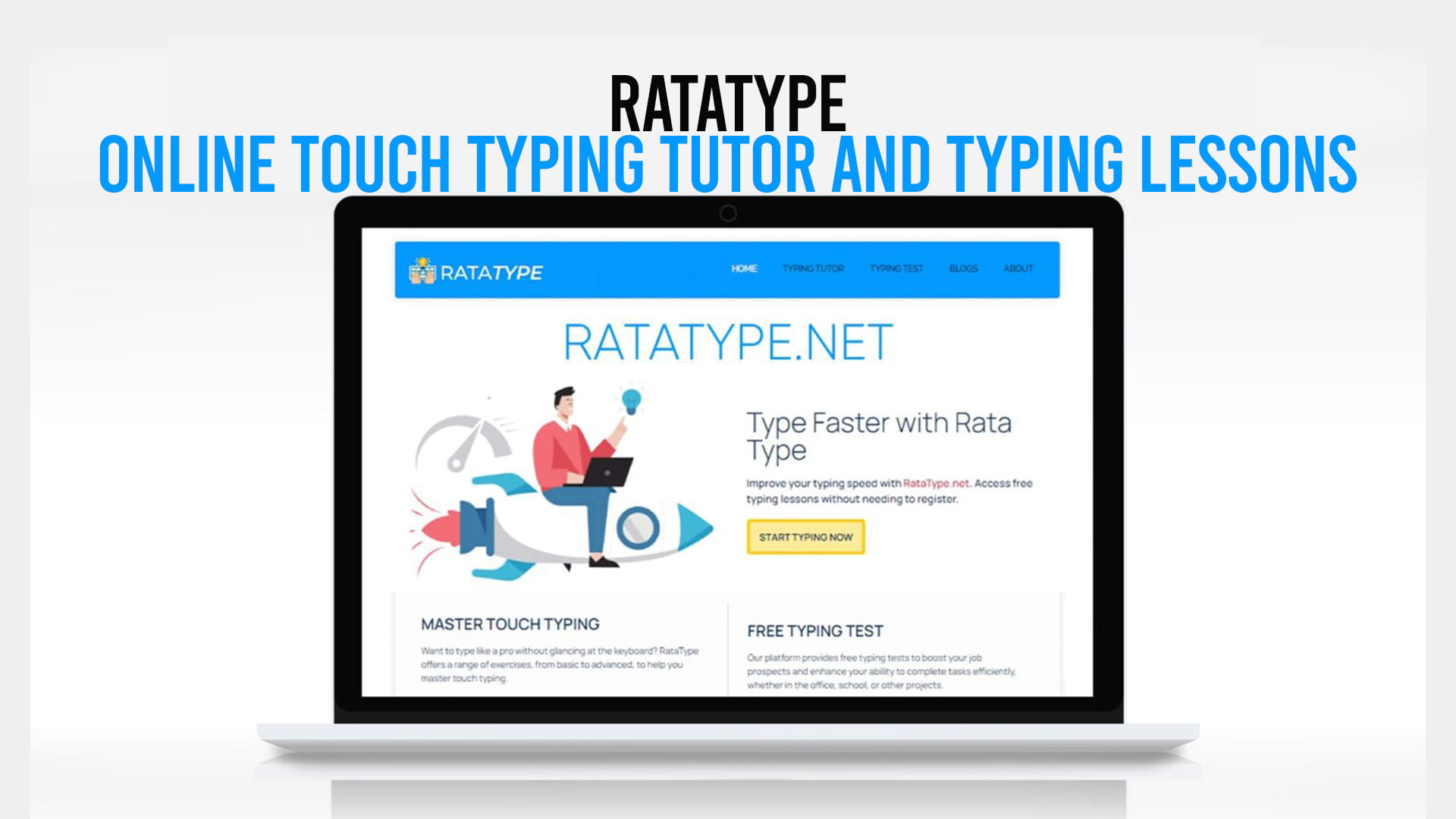
Ratatype is a free online touch typing platform that teaches people of all ages and skill levels how to type properly. It offers structured lessons, real-time typing tests, detailed performance tracking, and a certificate program that is completely free to earn. The platform is accessible directly from your browser with no downloads, no complicated setup, and no hidden fees.
What makes Ratatype particularly appealing is its balance between simplicity and depth. The interface is clean and welcoming, making it great for beginners who might feel intimidated by more complex tools. At the same time, it offers enough structure and progression to genuinely teach typing skills from the ground up.
You can visit Ratatype at Ratatype and start your first typing lesson immediately. No account is required to begin practicing, although creating a free account allows you to track your progress over time and unlock the certificate feature.
The Typing Lessons on Ratatype
The core of the Ratatype experience is its lesson system. The lessons are thoughtfully designed to introduce keys gradually rather than throwing the entire keyboard at you at once. This progressive approach is one of the most important principles in effective typing education.
Here is how the lesson structure works:
Starting with the Home Row Every proper touch typing course begins with the home row — the middle row of the keyboard where your fingers rest naturally. On a standard QWERTY keyboard, the home row keys are A, S, D, F for the left hand and J, K, L, and the semicolon for the right hand. Ratatype starts here and helps you develop the habit of returning your fingers to these keys after every keystroke.
Adding Keys Gradually Once you are comfortable with the home row, lessons begin introducing keys from the rows above and below. Each new lesson adds a small number of new keys, giving your fingers time to learn their positions through repetition. This gradual introduction prevents overwhelm and builds a solid foundation.
Practicing With Real Words and Sentences As you progress through the lessons, the practice material transitions from random letter combinations to real words and eventually full sentences. This makes the practice feel more natural and helps you apply your new skills to realistic typing situations.
Repetition and Reinforcement Ratatype uses repetition strategically. If you are making frequent errors on a particular key or combination, the system gives you more opportunities to practice it. This keeps you focused on your weak points and accelerates your overall improvement.
Each lesson on Ratatype is short enough to complete in just a few minutes, which makes it easy to fit practice into a busy schedule. Even ten to fifteen minutes of daily practice on Ratatype can produce noticeable results within a couple of weeks.
The Typing Test Feature
One of the most useful tools on Ratatype is the typing test. This feature allows you to measure your current typing speed and accuracy in a clean, distraction-free environment.
The typing test presents you with a passage of text and measures how many words you can type per minute (WPM) along with your accuracy percentage. These two numbers together give you a clear picture of where you currently stand.
Why Typing Tests Matter Taking a typing test before and after a period of practice gives you real data on your improvement. It is motivating to see your words-per-minute count go up and your error rate go down. This feedback loop encourages you to keep practicing and helps you identify specific areas that need more attention.
Accuracy vs. Speed One important principle that Ratatype reinforces is that accuracy should always come before speed. Many beginners make the mistake of trying to type as fast as possible, which leads to sloppy habits and frequent errors. Ratatype teaches you to prioritize hitting the right keys every time. Speed naturally follows once your accuracy is solid.
The typing test on Ratatype is available without any registration, so you can jump in and measure your baseline speed right away. It is also a great tool to return to periodically as you work through the lessons.
The Free Ratatype Certificate
One of the most distinctive features of Ratatype — and one that sets it apart from many other free typing tools — is the opportunity to earn a free typing certificate.
What Is the Ratatype Certificate? The Ratatype certificate is an official-looking document that confirms your typing proficiency. It shows your name, your typing speed in words per minute, and your accuracy percentage. It is a tangible reward for your effort and progress.
The Best Part: No Registration Required Here is where Ratatype truly stands out. Most online certificate programs require you to create an account, verify your email, and sometimes even pay a fee before you can receive your certificate. Ratatype does things differently. You can earn and download your certificate without going through a lengthy registration process.
This is a huge advantage for people who want a quick, hassle-free way to document their typing skills. Students can use the certificate to demonstrate their proficiency as part of a portfolio or application. Job seekers can include it with their resume to show employers that they have solid keyboard skills. Teachers can recommend it to students as a verifiable goal to work toward.
How Do You Earn It? To earn the Ratatype certificate, you need to pass a typing test that meets a minimum standard for speed and accuracy. The test is fair and achievable with a reasonable amount of practice. Once you pass, you can download your certificate immediately.
This combination — a free tool, free lessons, and a free certificate with no registration barriers — makes Ratatype one of the most accessible and rewarding typing platforms on the internet.
Who Is Ratatype For?
Ratatype is designed to work for a wide range of users. Here is a look at who benefits most from using it:
Students’ typing speed is increasingly important in academic settings. From writing essays to taking online exams to submitting assignments digitally, students who type quickly and accurately have a significant advantage. Ratatype’s structured lessons make it easy for students to build this skill step by step. The free certificate also gives students something concrete to show for their efforts.
Professionals and Office Workers If your job involves a computer, typing faster and more accurately will directly improve your productivity. Data entry, report writing, email communication, and content creation all benefit from strong typing skills. Ratatype allows professionals to sharpen their skills at their own pace, even if they only have a few minutes to spare during a break.
Children and Young Learners Ratatype is approachable enough for younger learners to use with some guidance. Its clean interface and structured progression make it suitable for children who are beginning to learn to type. Many schools recommend typing practice as part of digital literacy education, and Ratatype is a strong free option for at-home reinforcement.
Writers and Content Creators People who write for a living or as a serious hobby will find that touch typing allows them to get their ideas down much faster. When your hands can keep up with your brain, the writing process flows more naturally. Ratatype helps writers eliminate the bottleneck between thought and text.
Anyone Who Wants to Stop Looking at the Keyboard This is perhaps the most universal category. If you currently type with two fingers while staring at your keys, Ratatype can help you break that habit and replace it with a much more efficient technique. The improvement in comfort and speed is noticeable within just a few weeks of consistent practice.
How to Get Started With Ratatype
Getting started is genuinely straightforward. Here is a simple path to follow:
Step One: Visit Ratatype.net Open your browser and go to Ratatype.net. The homepage loads quickly and clearly presents your options — you can jump straight into a lesson or take a typing test to assess your starting point.
Step Two: Take the Typing Test First Before starting any lessons, it is a good idea to take the typing test and note your current speed and accuracy. This gives you a baseline to measure your progress against.
Step Three: Start From the First Lesson Even if you have some typing experience, starting from the beginning of the lesson series is usually beneficial. The early lessons move quickly for anyone with prior experience and help you correct any bad habits you might have picked up over the years.
Step Four: Practice Consistently The key to improving at typing — like most skills — is consistency rather than intensity. Short daily practice sessions of ten to twenty minutes are far more effective than occasional marathon sessions. Set a regular time for your practice and stick to it.
Step Five: Earn Your Certificate Once you feel comfortable with your speed and accuracy, take the certificate test. When you pass, download your free certificate and share it wherever it is relevant.
Tips for Getting the Most Out of Ratatype
Here are a few practical tips that will help you progress faster and build stronger habits:
Sit Up Straight Your posture matters. Sit with your back straight, feet flat on the floor, and the screen at eye level. This makes it easier to keep your eyes on the screen and your hands on the keyboard in the correct position.
Do Not Look at the Keyboard This is the hardest habit to break for new touch typists, but it is also the most important. Every time you look down at your keys, you are reinforcing a habit that slows you down. Trust the process and keep your eyes on the screen.
Go Slowly at First Speed will come with time. In the beginning, focus entirely on hitting the correct keys with the correct fingers. Slow and accurate is far better than fast and sloppy.
Use All Ten Fingers Ratatype teaches you the correct finger assignments for every key. Follow these assignments carefully, even if they feel awkward at first. Using all ten fingers is what makes touch typing so much faster than hunt-and-peck methods.
Review Your Mistakes After each lesson or test, pay attention to which keys or combinations gave you trouble. If you are consistently making mistakes on the same letters, spend extra time practicing those specific keys.
Why Ratatype Stands Out Among Free Typing Tools
There are several typing tutors available online, but Ratatype has a few qualities that make it stand out from the crowd.
First, the completely free certificate with no registration requirement is genuinely rare. Most platforms either charge for certificates or require a full account before you can access them. Ratatype removes those barriers entirely.
Second, the user interface is clean and focused. There are no distracting advertisements plastered across the screen, no confusing menus, and no overwhelming options. You come to the site, you practice typing, and you get better. It is that simple.
Third, the lesson design follows proven educational principles. The gradual introduction of keys, the use of real words and sentences, and the focus on accuracy before speed all reflect a thoughtful approach to teaching this skill effectively.
Finally, Ratatype works on any device with a keyboard and a browser. There is nothing to install and no compatibility issues to worry about. Whether you are on a desktop computer at home, a laptop at school, or a workstation at the office, you can access your lessons wherever you are.
Final Thoughts
Typing is one of those skills that most people wish they had developed properly earlier in life. The longer you spend typing inefficiently, the more time you waste every single day. The good news is that it is never too late to learn, and the tools available today make the process faster and easier than ever before.
Ratatype delivers everything you need to go from a slow, two-finger typist to a confident, accurate touch typist — completely free of charge. The structured lessons take you from the basics all the way through to full keyboard proficiency. The typing tests give you real feedback on your progress. And the free certificate, available with no registration required, gives you a concrete way to showcase your new skill.
If you are serious about improving your typing speed and accuracy, there is no reason to wait. Head over to Ratatype.net today, take your first typing test, and start your first lesson. A few weeks of consistent practice is all it takes to build a skill that will serve you for the rest of your life.