Most people think learning to type fast is boring. You sit at a keyboard, follow some dull exercises, and repeat the same letters over and over until your eyes glaze over. That has been the old way of doing things — and honestly, it has not worked for most people.
Typing Playground changes all of that.
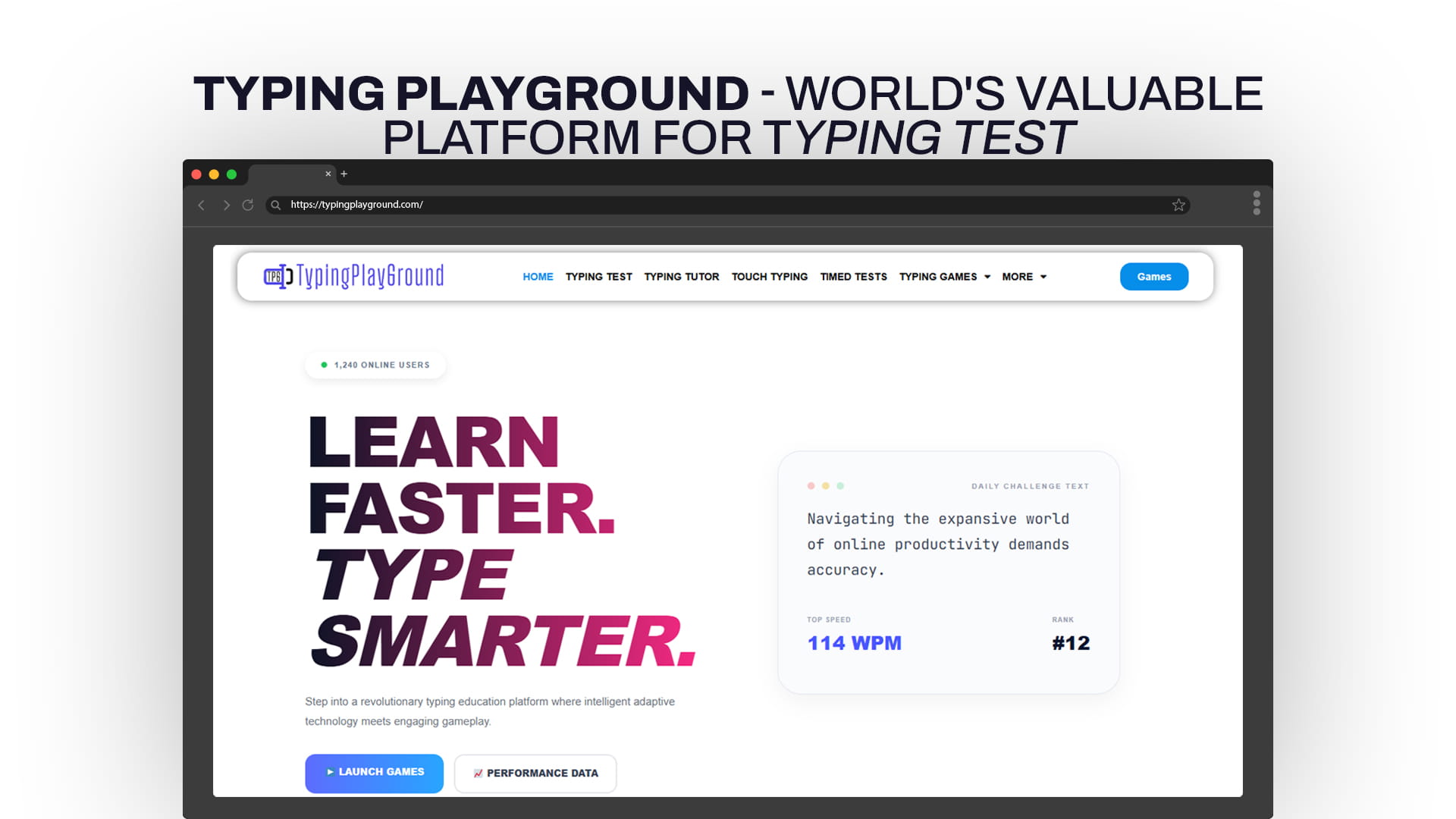
Typing Playground is a website built for anyone who wants to learn faster, type smarter, and have a good time doing it. Whether you are a complete beginner who still hunts and pecks with two fingers, a student preparing for an exam, a professional looking to improve productivity, or someone who just wants to challenge friends in a live typing race — Typing Playground has something for you.
The platform brings together a full set of tools under one roof: a typing test, a typing tutor, touch typing lessons, timed tests, page tests, exam tests, and a collection of typing games you can play with friends online. It is free to use, easy to navigate, and designed to make real progress happen fast.
This article walks you through everything Typing Playground offers, why typing speed actually matters in today’s world, and how you can get the most out of the platform starting today.
Why Typing Speed and Accuracy Still Matter in 2025
Before diving into the features, it helps to understand why typing fast and accurately is still one of the most practical skills a person can have.
We live in a world powered by keyboards. Whether you are sending emails, writing reports, chatting online, coding software, filling out forms, taking online exams, or managing a business — typing is at the center of it all. The average office worker types between 30 and 40 words per minute. A skilled typist can hit 70, 80, even 100 words per minute. That difference adds up to hours saved every single week.
Studies have shown that people who type faster tend to stay more focused while writing. When your fingers can keep up with your thoughts, you lose less of your ideas. You write more fluidly. You communicate more clearly.
For students, fast typing means finishing assignments sooner, doing better on timed computer exams, and spending less energy on the mechanical side of writing. For professionals, it means getting more done in less time. For gamers, it means faster reactions in chat-based games. For everyone, it means less frustration and more flow.
Typing Playground was built with all of these use cases in mind. The goal is not just to make you faster — it is to make you a smarter, more confident typist in every situation you face.
A Full Look at Typing Playground’s Features
1. Typing Test
The typing test is one of the most popular features on Typing Playground, and for good reason. It gives you an instant snapshot of where your typing stands right now.
When you take a typing test, you are shown a passage of text and asked to type it as accurately and quickly as possible within a set time. At the end, you get your results: words per minute (WPM), accuracy percentage, and a breakdown of any errors you made.
What makes Typing Playground’s test stand out is how it presents results in a way that is easy to understand and actually motivating. You are not just staring at a number — you can see your progress over time, understand where you slow down, and know exactly which keys are giving you trouble.
The test is useful whether you are a beginner checking your baseline or an advanced typist tracking improvements over weeks and months. It takes less than two minutes and gives you real data you can act on.
2. Typing Tutor
The typing tutor is where structured learning happens. If you want to improve systematically — not just randomly practice — this is the feature to use.
The tutor takes you through lessons in a logical order, starting with the home row keys and building up from there. You learn which fingers should be responsible for which keys, how to position your hands correctly, and how to build muscle memory that makes fast typing feel effortless.
Each lesson focuses on a small set of keys at a time. You practice them until you hit a comfortable level of accuracy before moving on. This step-by-step approach prevents the common mistake of rushing ahead before you have really internalized the foundations.
The tutor also provides real-time feedback as you type. If you make an error, it is highlighted immediately so you know what to correct. This instant loop between mistake and correction is what makes the tutor so effective compared to just free-typing on your own.
Whether you are starting completely from scratch or fixing bad habits you have built up over years, the typing tutor gives you a clear, structured path to follow.
3. Touch Typing
Touch typing is the gold standard of keyboard use. It means typing without looking at the keys — relying entirely on muscle memory and finger placement rather than your eyes.
Most people who type slowly are doing so because they rely on visual feedback. They look down at the keyboard to find each letter. This not only slows you down but also forces your eyes to constantly shift between the screen and the keyboard, which causes fatigue and errors.
Touch typing eliminates this problem entirely. Once you can touch type, your fingers move to the right keys automatically. Your eyes stay on the screen or your source material. Your brain does not have to manage the physical act of typing at all — it just focuses on what you want to say.
Typing Playground’s touch typing section is designed to build this skill systematically. You start with the home row, learn proper finger positions, and practice until those positions feel natural. Then you gradually expand to more keys until the whole keyboard is mapped in your fingers.
This is a skill that takes some time to build, but the payoff is enormous. Most people who commit to learning touch typing through Typing Playground report that their speed doubles or triples within a few weeks of consistent practice.
4. Timed Tests
Timed tests are one of the best ways to simulate real-world typing pressure. When you know the clock is running, you focus differently. You try harder, move faster, and develop the mental composure to type accurately under time constraints.
Typing Playground offers timed tests in multiple durations. You can choose shorter tests if you want a quick practice session, or longer tests if you want to build endurance and consistency. The platform tracks how your speed and accuracy change across different time windows, which tells you whether you are someone who performs better in short bursts or someone who improves as they warm up.
Timed tests are also great for competitive practice. If you are preparing for a typing speed requirement for a job application or a computer-based test at school, regularly completing timed tests on Typing Playground helps you perform when it counts.
5. Page Tests
Page tests take your practice one step further by giving you longer, real-world content to type through. Instead of short passages, you work through full pages of text.
This is important because typing speed is not just about how fast your fingers move — it is also about how long you can maintain that speed. Most beginners notice their accuracy drops significantly after a minute or two. Page tests are specifically designed to address this by pushing your endurance limits in a controlled way.
They also help you practice typing a variety of word lengths, punctuation patterns, and sentence structures, which is much closer to what real typing looks like in everyday life.
If you want to be genuinely fast and accurate in practical situations — not just in short test windows — page tests are a key part of your training.
6. Exam Tests
For students, the exam test feature is particularly valuable. These tests are designed to mimic the conditions of a real typing exam, with specific time limits, graded accuracy requirements, and a clean interface that mirrors what you might see in a school or certification environment.
Whether you are preparing for a school typing exam, a government computer test, or a job application typing assessment, the exam test feature on Typing Playground gives you realistic practice in the exact format you will face.
This removes a lot of the anxiety that comes with high-stakes typing tests. When you have already practiced in a realistic exam setting many times over, the actual test feels familiar. Your nerves go down. Your performance goes up.
Exam tests are especially useful for students who have an upcoming computer-based assessment and want to feel fully prepared before the day arrives.
7. Typing Games — Play with Friends Online
Now for the feature that makes Typing Playground truly special: typing games you can play with friends online.
Typing games are not a new idea, but Typing Playground brings them to a new level by making them social and competitive in a way that keeps you coming back. Instead of practicing alone, you can invite friends, classmates, or anyone online to join a real-time typing competition.
This matters more than it might seem. Solo practice is useful but it can get monotonous. The moment you add a human opponent, everything changes. You push harder. You focus more intensely. You care more about the result. That extra emotional investment creates deeper learning and stronger skill gains.
The games on Typing Playground are designed with both fun and function in mind. They are engaging enough to hold your attention, and competitive enough to motivate improvement. Whether you are playing a quick race against a friend or a longer challenge against multiple opponents, you are still practicing typing — just in a way that feels like a game, not homework.
Playing typing games regularly on Typing Playground can accelerate your progress significantly. Many users report that their most noticeable improvements happened during and after gaming sessions, because the competition pushed them past what they would have done in solo practice.
The game modes accommodate different skill levels, so beginners are not destroyed by experts right away. As your skills improve, you naturally move into faster, more competitive matches.
Who Is Typing Playground For?
Typing Playground is built for a wide range of users. Here is a quick breakdown of who benefits most:
Students: Faster typing means more time for everything else. Whether it is writing essays, taking notes, completing online assignments, or sitting for typed exams, students who practice on Typing Playground gain a genuine academic advantage.
Working Professionals: If you spend hours a day writing emails, reports, or documents, cutting your typing time in half is like getting your afternoon back. Typing Playground helps professionals build the speed and accuracy that make knowledge work more productive.
Kids and Teenagers: Young learners pick up touch typing faster than adults, and Typing Playground’s games make the process enjoyable. Building this skill early creates a foundation that pays off throughout school and into adult life.
Job Seekers: Many jobs require a minimum typing speed as part of the application process. Typing Playground’s exam test and timed test features are perfect for preparing for these assessments.
Competitive Typists: For people who love setting records, chasing high scores, and competing against others, the multiplayer typing games on Typing Playground provide a constantly evolving challenge.
Casual Users: You do not need a serious reason to use Typing Playground. If you just want to improve a little, challenge a friend, or spend twenty minutes in a fun and productive way, it is a great place to be.
How to Get the Most Out of Typing Playground
Getting real results from any practice platform requires more than just showing up once in a while. Here are some tips for making the most of your time on Typing Playground:
Start with a typing test. Before you do anything else, take a baseline typing test. This gives you a starting point. You will know your current words per minute and accuracy, and you can use this as a benchmark to measure progress.
Work through the tutor lessons in order. It is tempting to skip ahead or just free-practice, but the structured lessons in the typing tutor exist for a reason. They build skills in the right sequence. Skipping the foundation makes everything harder later.
Practice touch typing even when it feels slow. When you first start touch typing, you will feel slower than your old way of typing. This is normal and temporary. Trust the process. Your speed will return and then surpass where you started.
Use timed tests regularly. Take at least one timed test each session. Tracking your results over time is the most motivating thing you can do. Watching your WPM climb from 35 to 60 to 80 over months is deeply satisfying.
Invite friends to play. Typing games are more motivating when the competition is real. Challenge friends or classmates to a match. The competitive pressure will push you to type faster than you ever would alone.
Be consistent. Short, daily practice sessions beat long, infrequent ones. Even fifteen to twenty minutes per day on Typing Playground will produce noticeable improvements within a few weeks.
Focus on accuracy before speed. Many beginners try to type fast before they type correctly. This builds bad habits. Train yourself to prioritize accuracy first. Speed comes naturally as your muscle memory improves.
The Science Behind Why Typing Games Work
It might seem like playing typing games is less serious than structured lessons. In reality, game-based learning is one of the most effective educational methods we know of.
When you play a game, your brain releases dopamine — the neurotransmitter associated with reward and motivation. This keeps you engaged and helps your brain encode what you are learning more deeply. Skills learned in a motivated, positive state stick better than skills learned through repetition alone.
Competitive games add an additional layer: the social pressure of having someone watching or competing against you activates the brain’s alertness systems. You make fewer careless errors. You push slightly beyond your comfort zone. This edge-of-capability training is exactly where the fastest skill growth happens.
Typing Playground has leveraged these principles thoughtfully. The games are not just entertainment layered on top of practice — they are the practice, packaged in a format your brain actually wants to engage with.
Typing Playground vs. Other Typing Platforms
There are several typing practice websites available online. What makes Typing Playground worth choosing?
Most typing websites focus on one or two features: a basic test, or a basic set of lessons. Typing Playground brings everything together — learning tools, testing tools, and social gaming — in one cohesive experience. You do not need three different websites for three different needs.
The combination of exam test preparation and multiplayer games is particularly rare. Most platforms either take themselves too seriously (all lessons, no fun) or not seriously enough (all games, no structure). Typing Playground strikes the right balance.
The platform is also designed for real accessibility. It works smoothly on standard web browsers without needing downloads or installations. The interface is clean and not overwhelming, so even first-time users can find their way around quickly.
Building a Habit That Lasts
Typing is a motor skill. Like riding a bike or playing a musical instrument, it lives in your muscle memory once you have built it properly. That means the effort you put into learning touch typing and building speed on Typing Playground will not disappear if you take a break — the skill stays with you.
The key is getting to that level of automaticity in the first place. That requires consistent practice over a meaningful period. Most people who commit to daily sessions on Typing Playground for four to eight weeks find that they have crossed a threshold — typing has become automatic and effortless in a way it never was before.
After that point, the games become pure fun rather than training, because you already have the underlying skill locked in. You can focus entirely on competing, improving your personal bests, and enjoying the social side of the platform.
Final Thoughts
Typing Playground is not just another website with a speed test and some repetitive drills. It is a thoughtfully built platform that covers every aspect of typing improvement — from absolute beginner lessons to competitive multiplayer games — in a single, easy-to-use place.
Whether your goal is to get your WPM into double digits for the first time, prepare for a school or work typing exam, build proper touch typing habits, or challenge your friends to a real-time typing race, Typing Playground gives you the tools to do it.
The platform proves something important: learning to type well does not have to be a chore. When the right tools are in place and the experience is genuinely enjoyable, skill-building happens faster, sticks longer, and feels completely different from the old grind-it-out approach.
Visit Typing Playground, take your first typing test, and find out exactly where you stand. Then start climbing. Your future self — faster, sharper, more productive — will thank you for starting today.