Almost everything we do involves a keyboard. Whether you are a student finishing an assignment, a professional writing reports, a freelancer answering client emails, or just someone who loves chatting online, how fast and accurately you type makes a real difference in your day. Slow typing is not just annoying; it is genuinely costly. It wastes your time, reduces your productivity, and can even hold you back in your career.
Think about this for a moment. The average person types around 40 words per minute. But skilled typists can hit 70, 80, or even over 100 words per minute. That gap means skilled typists can finish the same task in half the time — or less. Over a full workday, a full week, or a full career, that difference becomes enormous. It is not an exaggeration to say that typing is one of the most underrated professional skills you can develop.
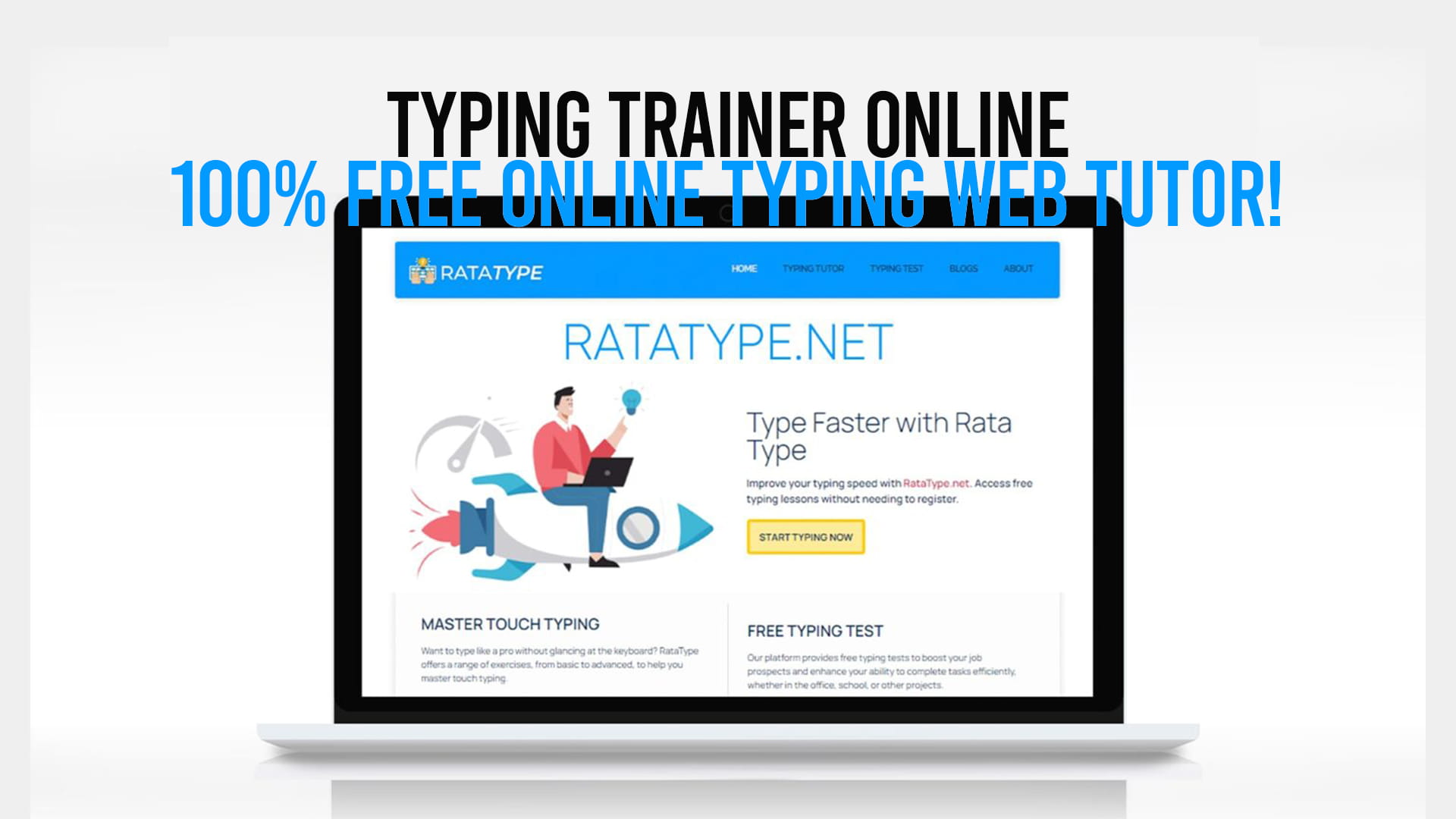
The good news? You do not need to spend money on expensive software or sit through boring classroom lessons to improve your typing. Today, free and powerful tools are available right on your browser. One of the best among them is Ratatype — a completely free online typing trainer that anyone can use, anytime, without even needing to create an account. And yes, Ratatype even gives you a free certificate to prove your typing skills. More on that shortly.
What Is an Online Typing Trainer?
An online typing trainer is a web-based tool that teaches you how to type correctly, quickly, and with fewer mistakes. Unlike traditional typing classes that required textbooks, a physical teacher, and a scheduled time slot, an online typing trainer works on your schedule. You open it in your browser, start a lesson, and begin practicing immediately.
These tools are designed to take you from a complete beginner — someone who hunts for keys one finger at a time — to a confident touch typist who can type without ever looking at the keyboard. The best online typing trainers do this through structured lessons, real-time feedback, and consistent practice exercises that gradually increase in difficulty.
Online typing trainers are used by:
- Students who want to write essays and assignments faster
- Job seekers who want to add a certified skill to their resume
- Office workers who want to handle more work in less time
- Freelancers who are paid per project and benefit from finishing faster
- Kids and teenagers who are learning to type for the first time
- Seniors who want to become more comfortable with computers
No matter who you are or what your current level is, a good typing trainer meets you where you are and helps you grow.
Introducing Ratatype: Your Free Online Typing Web Tutor
Among all the typing tools available online, Ratatype stands out for one very simple reason: it is genuinely free, genuinely useful, and genuinely easy to use. There are no hidden fees. No premium plans you need to unlock access to the real lessons. No confusing dashboards or complicated settings. Just clean, straightforward typing training that works.
Ratatype was built with the learner in mind. It offers a full typing course designed to teach you proper touch typing from the ground up. The course is organized into clear lessons, and each lesson focuses on a specific set of keys. You start with the home row — the foundation of all touch typing — and work your way outward until you have covered the entire keyboard. By the time you finish, your fingers know exactly where every key is without your eyes needing to look down.
What makes Ratatype particularly appealing is how welcoming it is to beginners. You do not need any prior experience. You do not need to know what “touch typing” even means before you start. The platform explains everything in a simple, friendly way that anyone can follow.
The Free Certificate — No Registration Required
Here is one of the most exciting things about Ratatype that not enough people know about: Ratatype provides a free typing certificate, and you do not even need to register to get it.
That is right. You can take a typing speed test on Ratatype, complete it, and receive a certificate showing your words-per-minute score and accuracy — completely free, with zero sign-up required. No email address. No password. No personal information at all if you choose not to provide it.
This is a big deal for several reasons.
First, it removes every barrier between you and your certificate. So many platforms promise free certificates but then hide them behind a registration wall, a premium membership, or a “verification fee.” Ratatype does none of that. You earn your certificate by demonstrating your typing ability, and you get it immediately.
Second, this certificate is actually useful. Employers recognize typing speed as a measurable, verifiable skill. Adding a certificate to your resume or LinkedIn profile shows that you take your professional development seriously and that you have concrete, testable abilities. Even if typing is not the main focus of a job you are applying for, being able to show that you type at 60 or 70 words per minute with high accuracy is a genuine plus.
Third, it is motivating. Having a goal — in this case, earning a certificate — keeps you practicing even when the novelty wears off. Knowing that there is something real to show for your effort makes those practice sessions feel worthwhile.
To discover all of this for yourself, simply visit Ratatype and start typing for free. No delays, no waiting, no forms to fill out.
How the Typing Course Works on Ratatype
The typing course on Ratatype is carefully structured so that you build your skills in a logical, step-by-step order. Here is a general breakdown of how the learning journey looks:
Step 1: The Home Row
Every touch typist starts with the home row — the middle row of keys where your fingers naturally rest. On a standard QWERTY keyboard, this means your left fingers sit on A, S, D, and F, while your right fingers rest on J, K, L, and the semicolon. Your thumbs rest on the spacebar.
Why start here? Because the home row is the anchor of your entire typing technique. Every other key is reached by moving a finger away from the home row and then returning it. If you master the home row first, everything else becomes easier to learn.
Ratatype’s early lessons focus entirely on these keys, drilling them repeatedly until your fingers begin to move automatically without conscious thought.
Step 2: Upper and Lower Rows
Once the home row feels natural, the course expands outward. You begin adding keys from the row above — Q, W, E, R, T, Y, U, I, O, P — and the row below — Z, X, C, V, B, N, M — one group at a time. Each new set of keys is introduced slowly and practiced through short, focused exercises.
The key at this stage is muscle memory. You are not just learning where the keys are; you are training your fingers to reach for them automatically. That takes repetition, and the Ratatype lessons are designed to provide exactly the right amount.
Step 3: Numbers, Symbols, and Special Characters
After the main alphabet keys, the course introduces numbers and common symbols. These are often overlooked in basic typing courses, but they matter a lot in real-world typing — especially for people who work with data, write code, or handle financial documents. Ratatype covers them thoroughly.
Step 4: Speed and Accuracy Drills
Once you know where all the keys are, the focus shifts to speed and accuracy. This is where the real improvement happens. Timed exercises challenge you to type faster while maintaining a low error rate. The platform tracks both your speed (in words per minute) and your accuracy (as a percentage), giving you clear, objective data on your progress.
Step 5: The Typing Test and Certificate
After working through the course — or even if you just want to test your current level — you can take the official typing test. This test measures your speed and accuracy over a set passage, and upon completion, Ratatype generates your free certificate. Again, no registration is needed to access this. It is available to everyone.
Key Features of Ratatype That Set It Apart
Let us take a closer look at what specifically makes Ratatype a top choice for online typing training:
Completely Free — No Catches
Many “free” typing tools are really just freemium services in disguise. They offer a few basic lessons for free but lock the real content behind a paywall. Ratatype does not do this. The full course, the practice exercises, the speed tests, and the certificate are all free. Period.
No Registration Barrier
Most platforms require you to create an account before you can do anything useful. Ratatype lets you start learning immediately. If you want to track your progress over time, you can create a free account — but it is never required. You can take the typing test and get your certificate as a complete guest.
Clean and Distraction-Free Interface
Ratatype’s design is clean, simple, and focused. No ads are cluttering the screen. No flashy pop-ups or annoying notifications. Just you, the keyboard, and the text you need to type. This distraction-free environment helps you stay focused and makes practice sessions more productive.
Real-Time Feedback
As you type, Ratatype gives you instant feedback. Incorrect keys are highlighted immediately, so you know right away when you have made a mistake. This immediate correction is important because it prevents you from reinforcing bad habits. You learn to get it right, not just to get it done.
Structured Progression
The lesson structure is thoughtful and logical. You are never asked to jump too far ahead before you are ready. The gradual progression keeps frustration low and motivation high, which is exactly what adult learners — and children — need.
Works on Any Device
Whether you are on a desktop computer, a laptop, or a tablet with a connected keyboard, Ratatype works smoothly in your browser. You do not need to download anything or install any software. Just open your browser, go to Ratatype, and start.
Multiple Language Support
Ratatype supports typing practice in multiple languages, making it a genuinely global tool. Whether you type primarily in English, Spanish, German, French, or another supported language, you can practice in the language you actually use.
Touch Typing vs. Hunt-and-Peck: Why the Difference Matters
If you have never been formally taught to type, there is a very good chance you are using a method called “hunt-and-peck.” This is when you look for each key one at a time and press it with one or two fingers. It works, but it is slow, and it keeps you tied to looking at the keyboard.
Touch typing is fundamentally different. In touch typing, each finger is responsible for a specific set of keys. Your fingers know where to go because of muscle memory, not because your eyes are searching the keyboard. This allows you to look at your screen — or your source document — while you type, which is both faster and significantly less tiring.
The speed difference between these two methods is dramatic. Most hunt-and-peck typists average somewhere between 20 and 35 words per minute. Touch typists routinely hit 60 to 80 words per minute, and experienced touch typists often go much faster. That is two to three times faster — or more — for the same mental effort.
If you have been hunt-and-pecking for years, switching to touch typing will feel awkward at first. Your speed will temporarily go down before it goes up. This is normal. The key is to push through that initial discomfort, because the long-term gains are absolutely worth it. A few weeks of consistent practice on Ratatype can transform your typing completely.
Tips to Get the Most Out of Your Online Typing Practice
Knowing the right tool is only part of the equation. How you practice matters just as much. Here are some practical tips to help you improve as fast as possible:
Practice every day, even if only for 15–20 minutes. Consistency beats intensity when it comes to building muscle memory. A short daily session is more effective than one long session once a week.
Focus on accuracy before speed. It can be tempting to try to type as fast as possible from the start, but that usually leads to sloppy habits that are hard to unlearn. Take your time in the early lessons. Let accuracy come first, and speed will follow naturally.
Do not look at the keyboard. This is the hardest habit to break for self-taught typists, but it is essential. Cover your hands with a piece of cloth if you have to. Force yourself to feel for the keys instead of looking for them.
Use all ten fingers. Ratatype teaches proper finger placement, and it is important to follow it even when it feels slow. The whole point of touch typing is to distribute the work across all ten fingers. If you let certain fingers do all the work, you create bottlenecks.
Track your progress. Ratatype shows your words per minute and accuracy after each session. Pay attention to these numbers over time. Seeing improvement — even small improvements — is deeply motivating and helps you stick with the practice.
Be patient with yourself. Learning touch typing as an adult takes longer than learning it as a child simply because old habits are hard to break. Give yourself grace. The progress will come.
Who Should Use Ratatype?
The honest answer is: almost everyone. But let us look at some specific groups who stand to benefit the most:
Students will find that faster typing makes writing essays, taking notes, and completing online assignments significantly less stressful. Many students lose marks simply because they cannot write as much as they know — their typing speed is the bottleneck, not their knowledge.
Job seekers can use the free Ratatype certificate to strengthen their resume. Positions in administration, data entry, customer service, content writing, and many other fields specifically value typing speed and accuracy. A verified certificate from a typing test gives you a measurable edge.
Working professionals who deal with heavy email loads, report writing, or documentation can save hours each week by improving their typing speed. Over the course of a year, those saved hours add up to days — or even weeks — of reclaimed time.
Freelancers and content creators are paid for their output. The faster they can produce that output, the more they earn per hour. Improving typing speed is one of the highest-return-on-investment skills a freelancer can develop.
Children and teenagers who learn touch typing early will have a massive advantage throughout their entire academic and professional lives. Starting young means the skill becomes as natural as writing by hand.
Anyone who uses a computer regularly will find that better typing makes the whole experience more enjoyable and less exhausting. Less hunting, less backspacing, less frustration.
The Value of Earning a Typing Certificate
In a world where credentials matter, having a typing certificate might seem like a small thing. But it is more meaningful than many people realize.
Typing speed is one of the few skills that is completely objective and testable. Either you type 60 words per minute or you do not. Either your accuracy is 95% or it is not. A certificate from a recognized typing test gives employers a verifiable data point that a resume bullet point alone cannot provide.
Ratatype’s certificate shows your exact words-per-minute score and accuracy rate. It is dated and can be shared digitally or printed out. For roles where typing is a core part of the job — data entry, transcription, secretarial work, customer support, and more — this kind of concrete evidence of your ability is genuinely impressive.
And because Ratatype offers this certificate for free, without registration, there is simply no reason not to get one. Even if you are not immediately job hunting, having a certificate tucked away is never a bad idea. You earned it. You should have proof.
Getting Started Today
The best part about starting with Ratatype is that there is no preparation required. You do not need to buy anything, download anything, or sign up for anything. You just go to Ratatype and begin.
If you are a complete beginner, start with Lesson 1 of the typing course. Follow the finger placement guidance carefully. Do not rush. Focus on getting each key right before worrying about how fast you are going.
If you already know how to type but want to measure your current skill level, go straight to the typing test. See where you stand. Use that number as your baseline, and then work to improve it through the practice lessons.
If your goal is specifically to earn a certificate — for a job application, for personal pride, or just to have it — take the test, do your best, and claim your free certificate. Then keep practicing and retake the test when you are ready to show an even better score.
Whatever your starting point, whatever your goal, Ratatype is ready for you right now.
Conclusion: Start Typing Smarter, Not Harder
Typing is not a glamorous skill. It does not get talked about the way coding, design, or public speaking do. But in the practical, day-to-day reality of working and studying in the modern world, it might be one of the most consistently useful skills you can have.
The good news is that improving your typing has never been easier or more accessible. Ratatype gives you a structured, professional-quality typing course at absolutely no cost. It gives you real-time feedback, clear progress tracking, and a free certificate that requires no registration whatsoever. There are no excuses left not to try it.
A few weeks from now, you could be typing twice as fast with half the errors. You could have a certificate on your resume. You could be finishing your work in less time and with less stress. All of that starts with one simple step: opening Ratatype and typing your first lesson.